
Printing CRM
When the price enquiries that come in through separate channels during the day land in different places, it is not clear which quote has been answered and which one is still waiting.
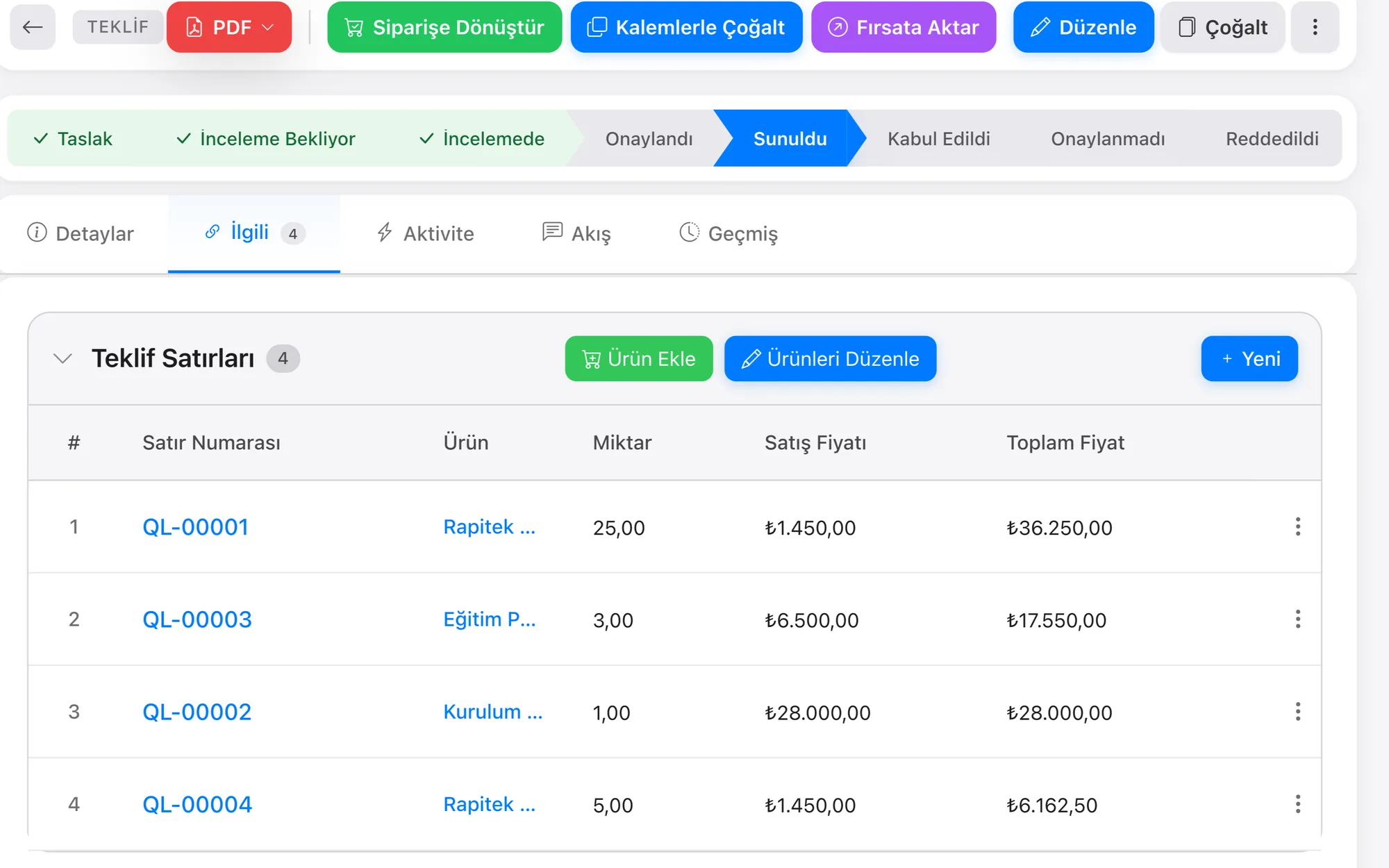
Every proof is a line attached to the job record; which round it is and what changed in the quantity and the paper type sit on that line. The move to print is made on the last approved round.
What we set up, and how
- Bring each customer's past jobs, the prices given and the call notes together on a single card
- Attach recurring print jobs to the record with their cycle, and call up the previous quantity and plate number from the same record
- Line up open quotes by stage and see on the pipeline which of them have turned into work
- Plan the shipment as a task; have the person receiving the goods sign on the signature screen in the mobile app, and write any short delivery to the same record
- Handle the price enquiries that come in on a single WhatsApp number as a team, with every conversation written to the record
| Print Work Order Record | Every job taken to print is a work order record of its own; the quantity, the size, the paper type and weight, the number of colours and the post-press operations such as lamination and cutting are fields on that record; which machine and which delivery date the job is tied to sit on the same record. |
|---|---|
| Reprint Cycle | Catalogue, label and packaging jobs that recur during the year sit on the customer record with their own cycle; the quantity, the paper type and the plate number of the previous job are called up from the same record, and the job whose turn has come drops into the list by date. |
| Proof and Revision Round | Every proof that goes to the customer is a line attached to the job record; which round it is, what changed in the quantity and the paper type, and who gave the approval on what date sit on that line; the move to print is made on the last approved round. |
| Delivery and Acceptance Signature | Shipping the printed job is a task attached to the record; the delivery address, how many boxes went out and the person receiving them sit in its fields; the person receiving them signs on the signature screen in the mobile app, and a note of a short delivery stays under the same task. |
| Print File Version Control | Every print file that comes from the customer is added to the work order with a version number; the result of the bleed, resolution and font embedding checks sits in the fields of that line; a file whose check is not complete holds the job at the waiting stage and drops as a task to the person responsible. |
In a print shop the price of a job is not a single number; as the quantity, the paper type and the delivery time change, the quote is recalculated, and three different versions can go to the same customer within a week. When the customer rings and says “the price you gave us last time”, nobody can tell which version they mean.
Rapitek CRM keeps the quote history in order under the customer card; which figure was given last and on what terms is visible the moment the record is opened. Because quotes that have not turned into work wait at the open stage, they do not quietly fall away, and a reminder goes to the person responsible before the deadline passes. You do not do the setup, we do: the print shop's own quoting flow is worked out together in the discovery call, and after that call we give you a date, not a range.
Other industry pages in the same area: Label and Sticker Manufacturer CRM · Packaging CRM · Paper CRM
