
Skip to content

Independent Accountant CRM

Because the VAT, withholding, provisional and corporate tax dates differ from client to client, the calendar is kept in a diary; the missing month-end paperwork is chased by hand, and the risk of being late is noticed on the last day.

The tax regime is a field on the taxpayer record; VAT, withholding, corporate and provisional tax dates are opened as tasks on that field, and work left unclosed stays on the list.
Independent Accountant CRM

What we set up, and how

  • Set up each client's VAT, withholding, corporate, tax-at-source and provisional tax calendar according to their tax regime, and get an alert seven days before the date
  • Open the month-end document expectation as a task per client, keep the incomplete ones on a list, and tie the reminder to that task
  • Keep the monthly fee and additional service lines under the client card, and follow overdue ones from a list
  • Archive the e-Beyanname, e-Defter and e-Fatura submission confirmation on the client record with its date and time
  • Follow your clients' KOSGEB support and incentive entitlement dates and put a quote together when the time comes
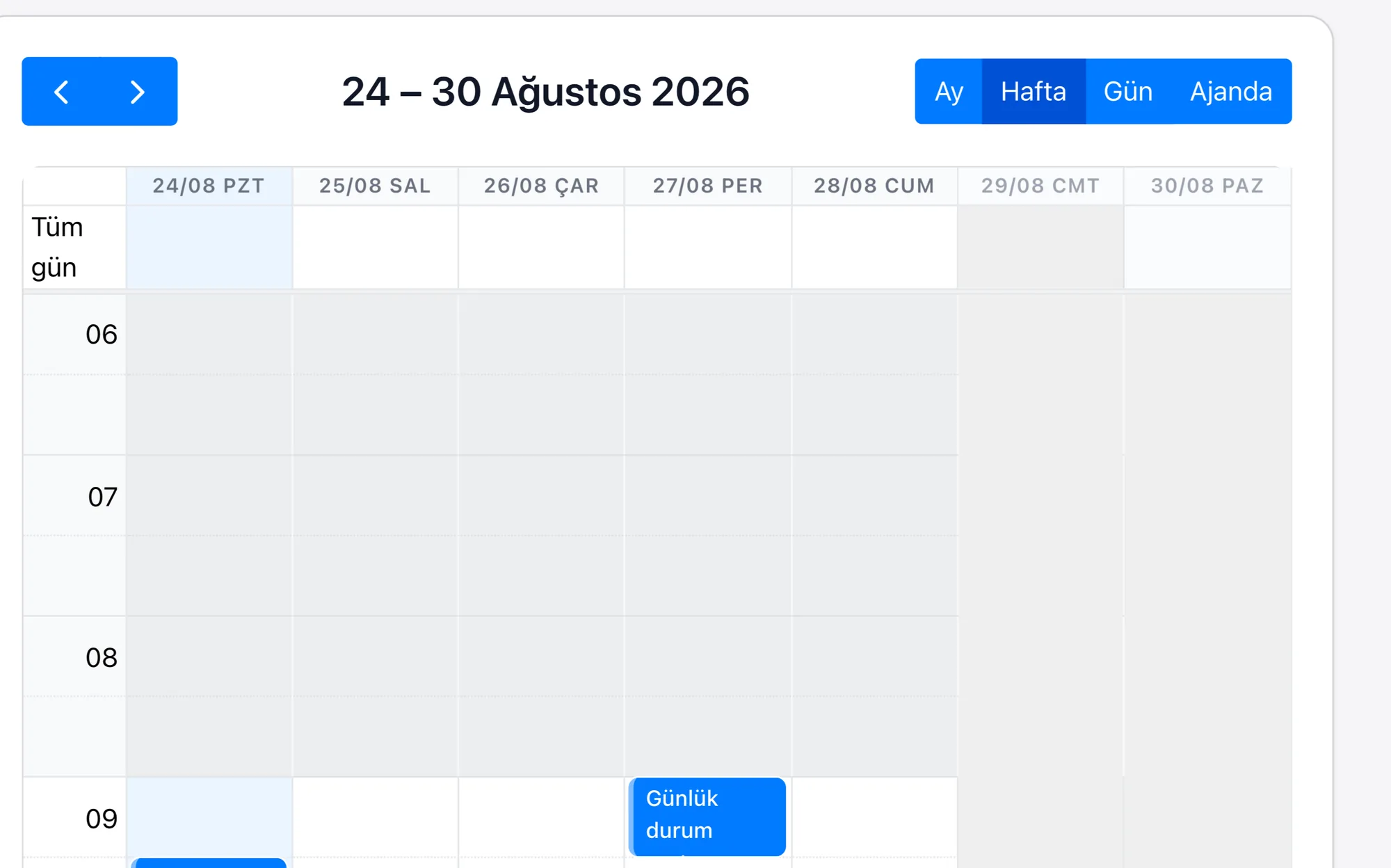
Tax Return CalendarThe tax regime is a field on the taxpayer record; the VAT, withholding, corporate, tax-at-source and provisional tax dates are opened as tasks on that field, and the alert period is defined during setup.
Document Collection ProcessThe monthly document expectation is a task tied to the taxpayer; because a task left incomplete does not close, it stays on the list, and the reminder is tied to that task.
Client Collections TrackingThe retainer and additional service lines sit under the taxpayer card; a line past its due date drops onto a list. Bank reconciliation is built specifically for the project; there is no out-of-the-box module.
Trainee and Staff ManagementA trainee is a user record; which taxpayer's file they look after sits in the assignment field, and working hours are totalled from the task records.
KOSGEB and Incentive TrackingThe entitlement date is a field on the taxpayer record; those falling due drop onto a list and are opened as a quoting opportunity.
Submission ArchiveThe e-Beyanname, e-Defter and e-Fatura submission confirmation is added to the taxpayer record with its date and time. The GİB connection is built specifically for the project; there is no out-of-the-box module.

In an accountancy practice the workload is not spread evenly over the month: the first half goes on chasing paperwork and the second on getting tax returns filed in time. Once the portfolio grows to a few hundred clients, which client is on which regime, whose paperwork is still missing and which trainee keeps whose books can no longer be held in one person's memory.

Because Rapitek CRM keeps the client card together with the tax regime, the calendar builds itself the moment a client is added. The alert repeats seven, three and one day before; because the submission confirmation is recorded by hand on the same card, the answer to “has it been sent?” sits in the archive rather than in someone's memory, and work left unclosed stays visible on the list. Since the documents coming in from the taxpayer are gathered under the client record, the sorting work the practice does at the start of the month gets smaller. Staff distribution is read from the same place: which trainee looks after how many clients sits in the assignment field.

The scope of the plans and the separately priced items are written on the pricing page.

Frequently asked questions

Do I have to set up the tax return calendar separately for every client?
No. The tax regime is a field on the taxpayer record; the VAT, withholding, corporate, tax-at-source and provisional tax tasks are opened on that field. You define the alert periods once during setup, and when a new taxpayer is added the calendar builds itself.
Does it work with accounting software such as Logo, Mikro and Luca?
We build the connection; there is no out-of-the-box module. The connection is built specifically for the project by our professional services team over our REST API covering 183 business objects, OAuth2, webhooks and import/export. The same applies on the GİB side: the submission confirmation is recorded on the record by hand, and there is no automatic connection that returns it. We work out the scope and the cost in the discovery call and share them in writing.
Can I see which trainee looks after how many taxpayers?
Yes. A trainee is a user record, and which taxpayer's file they look after sits in the assignment field. When taxpayers are grouped on that field, the number of files per person is read from a report; because the number of open tasks appears in the same breakdown, it is clear where the load is building up during tax return week.
Which is the best CRM software for Independent Accountants?
When choosing a CRM for the independent accountancy sector you should look at industry workflows, integration capabilities, customisation options and support quality. You do not set up Rapitek CRM — we do: we configure the fields, the stages and the reports around your accountancy process, we migrate your data, and we train your team in Turkish. Before we built our own platform, our team completed more than 200 enterprise CRM projects in its Salesforce years; we do the setup with that experience.
How much do Independent Accountant CRM system prices cost?
On the independent accountancy side a trainee is a user record; which file they look after is written into the assignment field. There are three tiers and all of them are priced per user per month: Sales 39 USD, Platform 69 USD, and Enterprise from 119 USD. Prices are based on annual billing; Sales and Platform require a minimum of 5 users, Enterprise a minimum of 10. For teams under 5 there is a separate starting point: Inbox, at 149 USD per company per month. The scope of setup, data migration and training is not the same in every project; the scope and the setup fee, if any, are worked out together in the discovery call and shared in writing. The Rapi AI credit and ERP integration are separately priced items.
How are CRM integrations done in the independent accountancy sector?
On the independent accountancy side the e-Beyanname, e-Defter and e-Fatura submission confirmation is added to the taxpayer record. If you use Logo, Netsis, Mikro or SAP, your CRM talks to it — we build the connection. There is no out-of-the-box module: because access and field structure on the ERP side differ from one installation to the next, a single button does not work the same way everywhere. The connection is built specifically for the project over our REST API covering 183 business objects, OAuth2, webhooks and import/export. We work out the scope and the cost in the discovery call and share them in writing.
How does the move to a CRM system work in the independent accountancy sector?
We start with a discovery call: we work out your accountancy process together, and which fields and which stages are needed. After the call we give you a date, not a range. We migrate your data and we train your team in Turkish. There is no call centre on our support line. Your question is answered by the team that builds and develops the product — this is a choice, not a matter of capacity.
Can mobile CRM be used for Independent Accountants?
Yes. Field and branch staff can update the customer card, notes and follow-up tasks from a phone. The app is live on both the App Store and Google Play. The web interface works on tablets and phones too. The app does not work offline; if the connection drops while you are filling in a form, what you have typed is kept on the device for 24 hours.
Made with RapitekGO

We would like to use optional cookies to measure your visit. The site works exactly the same if you decline. Cookie policy