
Skip to content

Photography CRM

What is really sold in photography is a date, and that Saturday is sold only once. What you tell the second person asking for the same date depends on whether the first one paid the deposit; when that detail stays inside messages, either the date is left empty or two jobs land on top of each other.

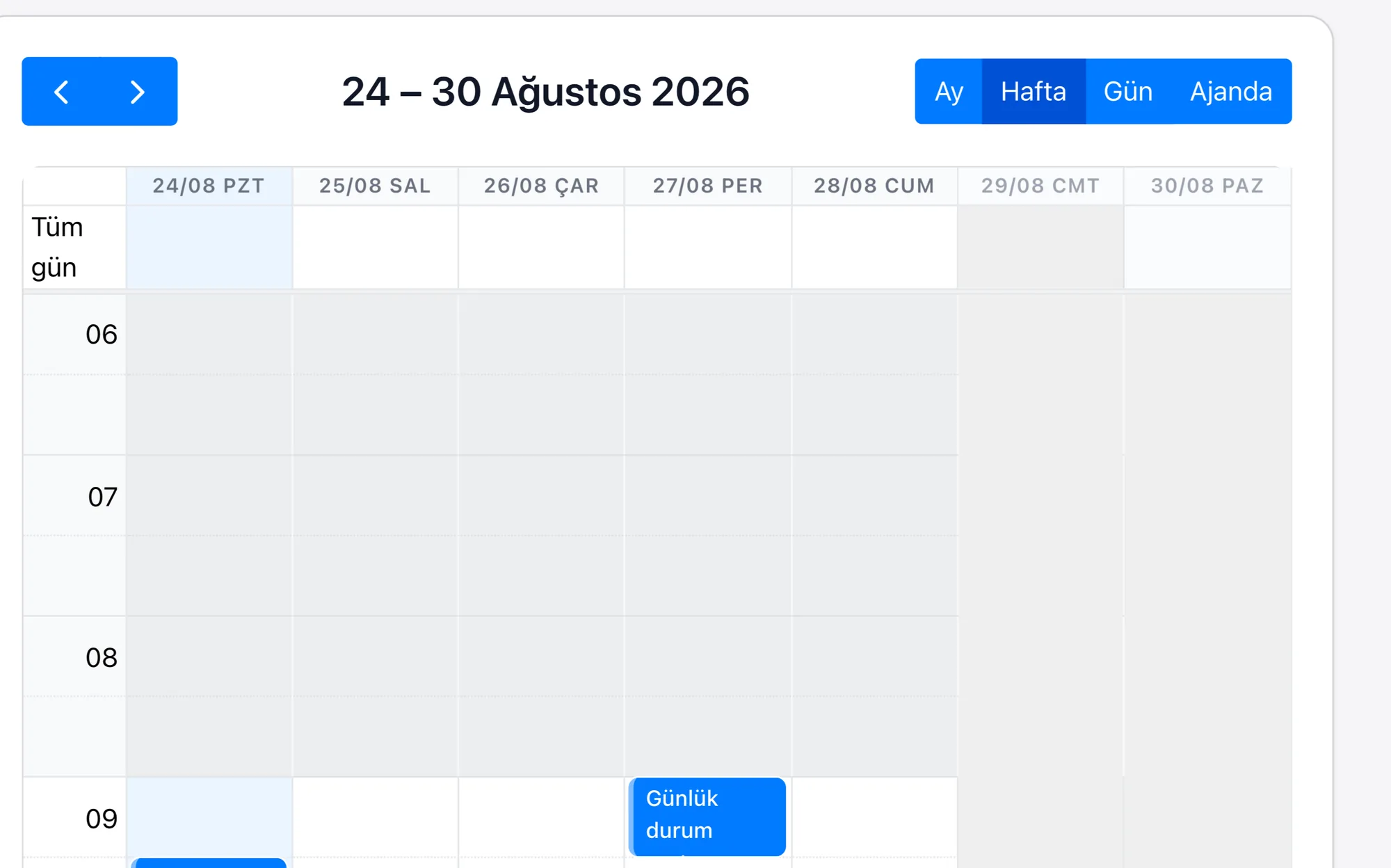
A shoot is a record with fields for the date, the time and the deposit status. The selection, album approval, printing and delivery are each tasks; those waiting with the client gather in one list.
Photography CRM
  • Record the shoot date together with the deposit status; keep a confirmed date apart from one that was only enquired about
  • Advance the post-shoot steps of selection, album approval, printing and delivery as tasks
  • Follow the selections waiting with the client and the uncollected balance from the same list and send reminders
  • Attach the signed version of the contract and the image usage consent to the customer record
Date ReservationA shoot is a record with date and time fields; the deposit status sits on the same card, and unconfirmed dates appear in a separate list.
Steps After the ShootThe selection, the album approval, the printing and the delivery are each tasks; the owner of each task and the party it is waiting on sit in fields, and those waiting with the client gather in a separate list.
Package and BalanceThe package chosen and the amount are fields on the customer record; the deposit and the remaining balance sit under it as lines, and the uncollected balance is read from the report.
Usage ConsentThe image usage consent and the contract are attachments to the record; the signature date sits in a field, and jobs without consent stand separately on the list.

A photographer's calendar is like stock: a booked date cannot be sold a second time, and a date left empty does not come back. The hard part is not the shoot itself but the long queue that starts after it — the selection is sent, the client picks the frames, the album design is approved, the print arrives, it is delivered. At each step the ball passes to the client and starts waiting there; because nobody remembers who is stuck at which stage, the delivery time stretches out on its own and the collection of the balance is delayed along with it.

In Rapitek CRM the shoot date and the deposit status sit on the same record, so which date is confirmed and which was only enquired about are kept apart. The steps after the shoot advance as tasks; selections waiting with the client gather in a single list and the reminder goes out from there. Because the contract and the image usage consent are attached to the record in their signed versions, which frame can be published where is not hunted for afterwards.

The scope of the plans and the separately priced items are written on the pricing page.

Frequently asked questions

Can I see from the system what to tell a second client asking for the same date?
Yes. The shoot record holds the date and the deposit status together; because dates with no deposit taken sit in a separate list, which day is confirmed is read from the calendar.
Can I follow the selections waiting with the client after the shoot?
Yes. The selection is a task and the party it is waiting on is written in its field; jobs waiting with the client gather in a single list, and the reminder is sent to that list.
Can I see afterwards which frame can be published where?
The image usage consent and the contract are attachments to the record; the signature date and the scope of the consent sit in fields, and jobs without consent stand separately on their own list.
Which is the best CRM software for photography?
When choosing a CRM for the photography sector you should pay attention to sector workflows, integration capabilities, customisation options and the quality of support. You do not set up Rapitek CRM, we do: we configure the fields, the stages and the reports around your shoot and delivery process, we migrate your data and we train your team in Turkish. Before building our own platform, our team completed more than 200 enterprise CRM projects in its Salesforce years; we do the setup with that experience.
How much does a photography CRM system cost?
In photography, because the selection, album approval and printing steps have separate owners, the people in the studio are defined separately in the system. We keep our current plan prices in one place and publish them openly on our pricing page; we do not put figures on this page, so that you never read a different price in two places. The price is determined by the number of users and the plan chosen. The scope of setup, data migration and training is not the same in every project; the scope and the setup fee, if any, are worked out together at the discovery call and shared in writing. Rapi artificial intelligence credit and ERP integration are separately priced items.
How are CRM integrations done in the photography sector?
If you use Logo, Netsis, Mikro or SAP, your CRM talks to it — we build the connection ourselves. There is no out-of-the-box module: because access and field structure on the ERP side differ from one installation to the next, a single button does not work the same way everywhere. The connection is built specifically for each project over our REST API covering 183 business objects, OAuth2, webhooks and import/export. We work out its scope and its cost at the discovery call and share them in writing.
How does the move to a CRM system work in the photography sector?
We start with a discovery call: together we work out your shoot and delivery process and which fields and which stages are needed. After the call we give you a date, not a range. We migrate your data and we train your team in Turkish. There is no call centre on our support line. Your question is answered by the team that builds and develops the product — this is a choice, not a matter of capacity.
Can mobile CRM be used for photography?
Yes. Field and branch teams can update the customer card, the note and the follow-up task from their phone. The app is live on both the App Store and Google Play. The web interface also works on tablets and phones. The app does not work offline; if the connection drops while you are filling in a form, what you have written is kept on the device for 24 hours.
Made with RapitekGO

We would like to use optional cookies to measure your visit. The site works exactly the same if you decline. Cookie policy